
Mark migrations as "dangerous"
In the database migration files, there is a boolean property called is_dangerous that you can mark as True to indicate that a migration should be run manually by a team member. They recommend setting this to True for large data migrations, adding columns to highly active tables, or whenever you're in doubt.
1class Migration(migrations.Migration):2 is_dangerous = True
Docker image size reduction trick
Sentry uses massively long RUN commands that are essentially a bunch of commands all bundled into a single command using the && operator. This is a trick that people do to keep their Docker image sizes down since every RUN command in a Dockerfile adds an extra layer to the Docker image, thus increasing the size of the image.
Bootstrap scripts running before React app renders
Sentry has a bootstrapping script that runs to load some configuration data along with locale/translation-related data BEFORE even rendering the React application. This must be some important data that the web app could need to know what it should show the user on the initial page load.
Code comments explaining how the app loadsHere's a look at the config object that Sentry fetches during the bootstrapping process:
1export interface Config {2 theme: 'light' | 'dark';3 languageCode: string;4 csrfCookieName: string;5 features: Set<string>;6 singleOrganization: boolean;7 urlPrefix: string;8 needsUpgrade: boolean;9 supportEmail: string;10 user: User;1112 invitesEnabled: boolean;13 privacyUrl: string | null;14 isOnPremise: boolean;15 lastOrganization: string | null;16 gravatarBaseUrl: string;1718 /**19 * This comes from django (django.contrib.messages)20 */21 messages: {message: string; level: string}[];22 dsn: string;23 userIdentity: {ip_address: string; email: string; id: string; isStaff: boolean};24 termsUrl: string | null;25 isAuthenticated: boolean;26 version: {27 current: string;28 build: string;29 upgradeAvailable: boolean;30 latest: string;31 };32 sentryConfig: {33 dsn: string;34 release: string;35 whitelistUrls: string[];36 };37 distPrefix: string;38 apmSampling: number;39 dsn_requests: string;40 demoMode: boolean;41 statuspage?: {42 id: string;43 api_host: string;44 };45}
1const BOOTSTRAP_URL = '/api/client-config/';23/* Loads config into global window object */4async function bootWithHydration() {5 const response = await fetch(BOOTSTRAP_URL);6 const data: Config = await response.json();78 window.__initialData = data;910 return bootApplication(data);11}
An example of why the config data is being fetched before the React app starts rendering is the theme value that holds the user's preference for light or dark theme. If the theme is fetched before starting to render the UI, then the UI can render the correct theme on the first try.
CSS written with LESS
LESS is a CSS preprocessor that lets you write out your styles in a less verbose syntax than pure CSS. I'm surprised to see Sentry using LESS since it seems to be much less (pun intended) popular than SASS. If you're interested in which preprocessor is better (LESS or SASS), then you can read this article from CSS tricks which compares the feature sets of both preprocessors. LESS stylesheetsSPA and server-rendered mode
Sentry can either load the web application using server-side rendering via Django templates (see base react component in the server templates) or it can load the web app in SPA mode, which is purely client-side (see entrypoint file). Based on this code comment, it seems as though Sentry would run in SPA mode when running the app locally in development or when loading the app for deploy previews (and it looks like they use Vercel for their deploy previews).EJS for web app entrypoint
Instead of the typical index.html file you see as the entrypoint file for the web app, Sentry uses an EJS file named index.ejs which allows for some cool things like conditional logic and loops to be used to generate HTML.
As an example, here is a loop used to set some values on the global window object:
1<% if (htmlWebpackPlugin.options.window) { %>2<script>3 <% for (var varName in htmlWebpackPlugin.options.window) { %>4 window['<%=varName%>'] = <%= JSON.stringify(htmlWebpackPlugin.options.window[varName]) %>;5 <% } %>6 </script>7<% } %>
Scary long webpack configuration file
Webpack config file is at 579 lines of code. Would take a long time to try to figure out what each step of the config does.
Webpack configCustom Sentry font
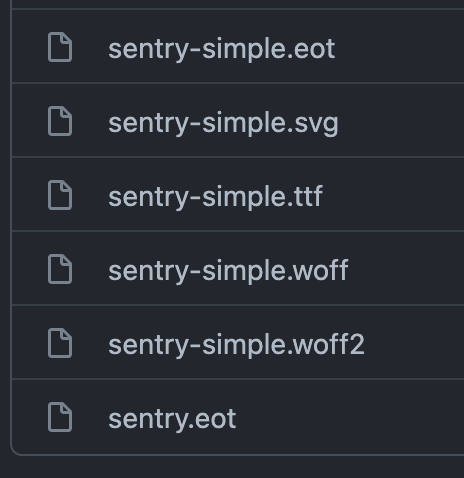
All the cool kids have their own font these days. Not sure if it's a font their created or just one they've purchased and renamed.
Loading animation/message while bootstrapping app
While the web app is being bootstrapped, there is a fallback UI that displays a loading animation to the user. This is a nice user experience and the loading message is likely to make a few developers smile:
Please wait while we load an obnoxious amount of JavaScript.
Whitelist files in .dockerignore
The .dockerignore file (used to tell Docker which files to ignore when creating an image) ignores everything and whitelists what shouldn't be ignored. This seems like a good strategy to take since you don't have to remember to keep the .dockerignore file up-to-date with files you want to be ignored.
1# Ignore everything2*34# List of things that shouldn't be ignored5!/docker6!/package.json7!/yarn.lock8!/dist/requirements.txt9!/dist/*.whl
Non-normalized global store
First, of all, Sentry uses Reflux for their global state management in their React web application. This is the first I've heard of this library, but it seems similar to Redux and follows the Flux pattern (i.e. actions get dispatched that result in the store being updated).I find it interesting that they've opted not to normalize their data in their global stores. I've found data hard to manage when there is not a normalized store, but it seems to serve Sentry's purposes well.
If they had normalized their store, they could more efficiently retrieve/update entities in their store by IDs, but instead, they need to loop through every item in an array to retrieve/update the right one.
For example, here is how they get an "event" byid from their global store:
1get(id) {2 for (let i = 0; i < this.items.length; i++) {3 if (this.items[i].id === id) {4 return this.items[i];5 }6 }7 return undefined;8},
AsyncComponent
Sentry's higher-level components are called "views" and many of them are built using a custom build AsyncComponent class component which has logic to display a loading indicator while data is being fetched as well properly handle errors whenever they are encountered.
AsyncComponent code
Animations with framer-motion
framer-motion is used to handle some animations/transitions in the UI. I've heard of the library before, but I've never been aware of an app that was using it.Here is their Toast component that uses framer-motion:
1const Toast = styled(motion.div)`2 display: flex;3 align-items: center;4 height: 40px;5 padding: 0 15px 0 10px;6 margin-top: 15px;7 background: ${p => p.theme.gray500};8 color: #fff;9 border-radius: 44px 7px 7px 44px;10 box-shadow: 0 4px 12px 0 rgba(47, 40, 55, 0.16);11 position: relative;12`;1314Toast.defaultProps = {15 initial: {16 opacity: 0,17 y: 70,18 },19 animate: {20 opacity: 1,21 y: 0,22 },23 exit: {24 opacity: 0,25 y: 70,26 },27 transition: testableTransition({28 type: 'spring',29 stiffness: 450,30 damping: 25,31 }),32};
Toast component code
Those are some of the noteworthy things that popped out to me while analyzing the Sentry codebase. If there are any other open-source web apps that you find interesting let me know on Twitter since I quite enjoy learning from other projects. I found this awesome-selfhosted repo that lists out a lot of potentially good open source projects that could be interesting to look into.
