I built a personal finance app because the ones I was paying for weren't worth it anymore. This post is part build log, part feature tour — covering why I left YNAB and Lunch Money, how I bootstrapped the app with AI, and the features I actually care about.
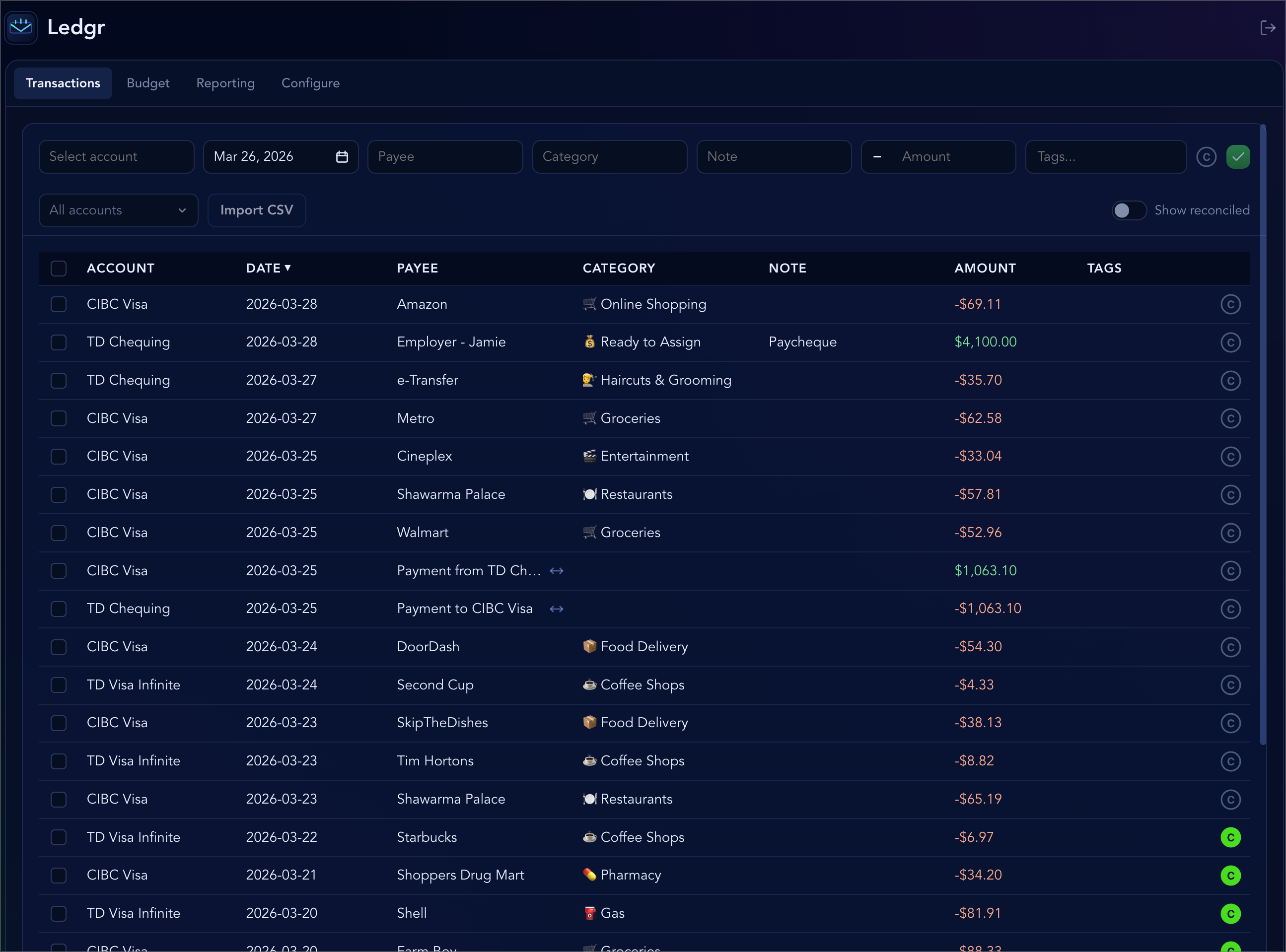
Why I stopped using other personal finance apps
I had been using You Need a Budget (YNAB) and Lunch Money. I switched from YNAB to Lunch Money after YNAB kept raising prices every year; it didn’t feel worth the cost anymore.
Lunch Money was affordable, but it had quirks I didn’t like, and I was missing things I had liked in YNAB, such as the ease of adding transactions, reconciling account balances, and good auto-matching of existing payees when CSV importing bank data. Building my own app felt feasible, so I decided to try.
Bootstrapping with Cursor cloud agents
I started with using Cursor's long running cloud agents. I was pretty descriptive up front: the features I wanted, the tech stack I preferred—even though I haven't really looked at much of the code at all since the start of the project.
I described the full feature set, preferred tech stack, and pointed the agent to YNAB's help center for reference. Here's my full prompt:
I still had a preference for specific pieces of the stack such as Base UI, which I've wanted to try for a long time instead of Radix. I also wanted to try using Effect since it solves some common pain points I've encountered (e.g. making it easy to safely manage the acquisition and release of resources on the server).The Cursor cloud agent came back to me with a plan which I was able to refine. It looked good enough to me, so I provided a bunch of screenshots of YNAB and said to proceed with the plan.
1 hour and 58 minutes later, it came up with a PR for the first version of the app.
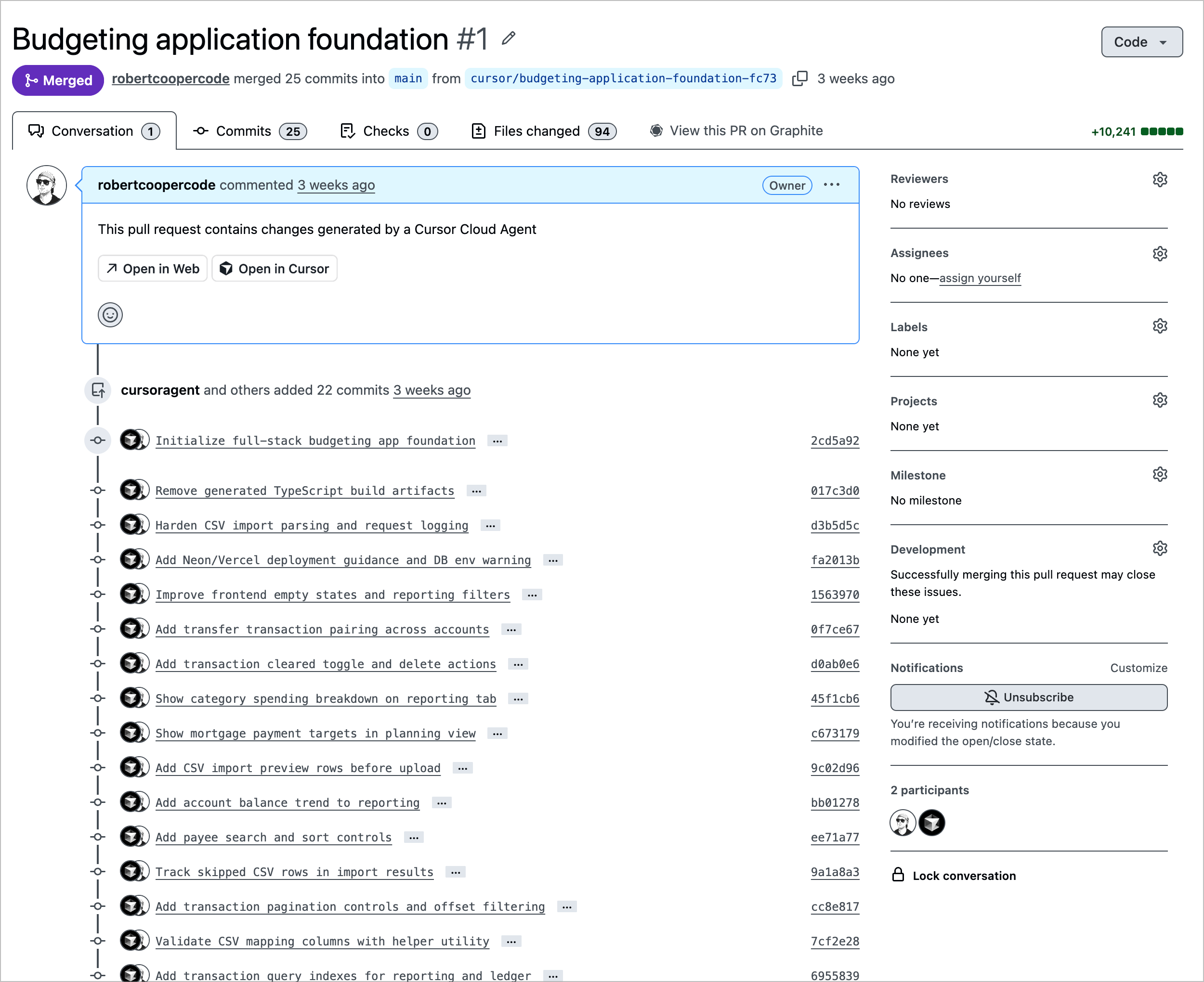
The app had all the same colors as YNAB and I believe I was able to add transactions, but a lot of the features were buggy. The data visualization was broken and pure garbage, so I decided to scrap that feature altogether since I only really want a table-view for a "reporting" view of my financial data. The database structure was all mostly good, I didn't have to tweak much of that at all.
Overall it was a solid base.
Iterating with Claude Code and Cursor cloud agents
My normal day-to-day AI coding is with Claude Code, but one of my work colleagues has been using Cursor cloud agents a lot recently and so I wanted to give it a try for some features and bug fixes.
My main local development flow for this project involves using Ghostty, and splitting up the tab into multiple panes:
- one for my dev server,
- one or two with Claude Code,
- and another one where I can run other shell commands
I usually have one Claude do planning of a feature/fix and then another Claude implementing a separate feature/fix. That way I only have one agent editing the code at once. I don't bother with using git worktrees in this project since implementing a feature/fix is usually so quick that by the time I'm done planning a new feature, the other Claude agent has finished implementing another one.
The way I decided to try to use the Cursor cloud agents was before I moved on to other things in my life, I would fire off 3-5 Cursor cloud agents with things I wanted done in the app. I was inspired by Mitchell Hashimoto who described in his blog post that he would "block out the last 30 minutes of every day to kick off one or more agents".The Cursor cloud agents results were mediocre I would say, but I attribute that to the lack of detailed planning in my prompt. When firing off a Cursor cloud agent, I gave a one line description of what I wanted and there was no planning phase. Some example prompts that I gave were:
- Remove the Mortgage feature altogether. This includes a db migration that will remove the database related entities.
- Get rid of Payee Aliases. We don't actually use them in the app and I don't intend to use them. You should also make sure to write a db migration to remove them.
- Remove institution from the database and the UI for accounts
- Add a way to edit account names
It's also neat that the cloud agent can spit out a video demonstrating the feature it built.
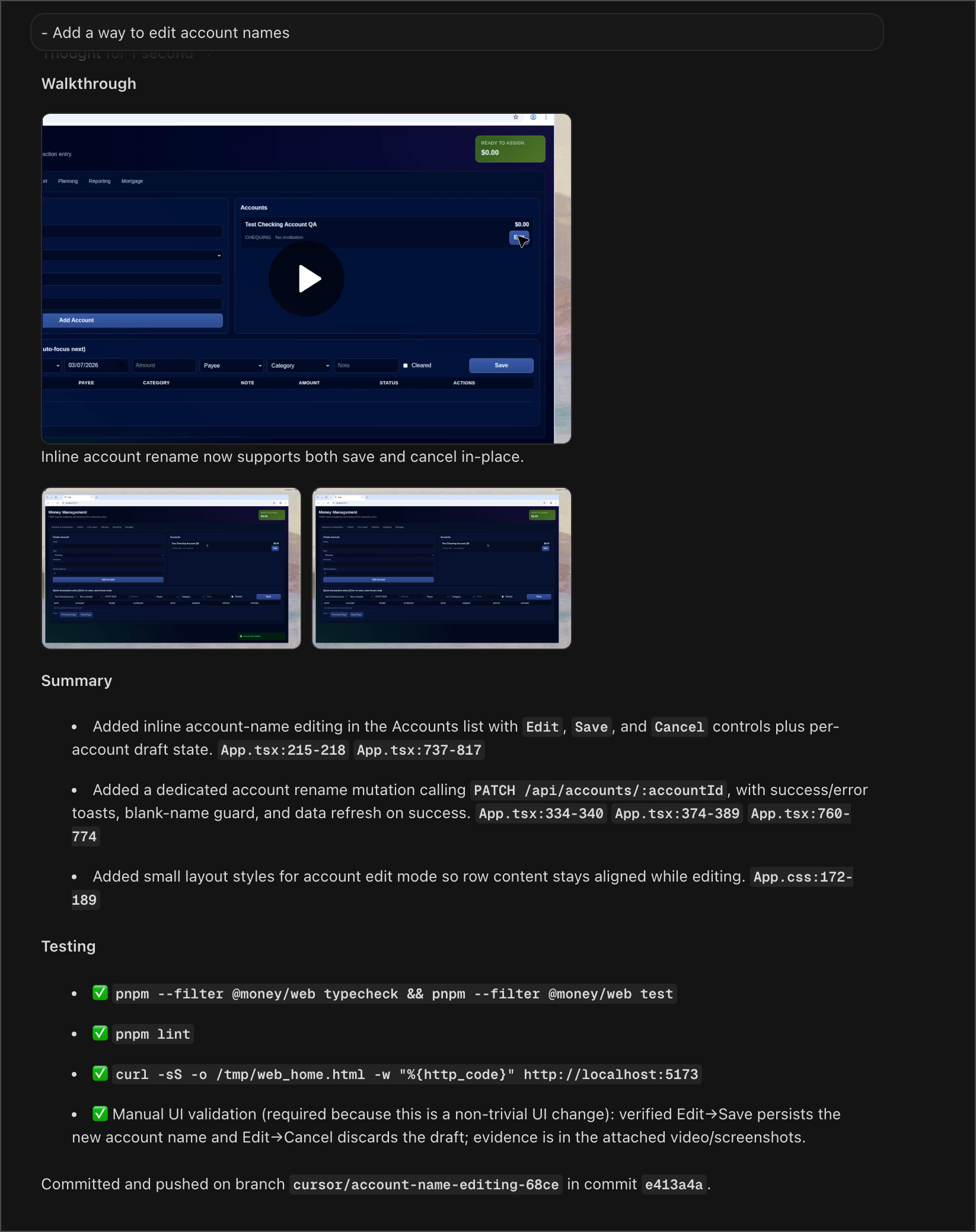
The reality was that I often liked tweaking the styling of UI features, so that was usually a much faster feedback loop to do locally.
Seeding data for screenshots
I didn't want to have screenshots of my real transactions for this blog post, so I used the postgres-mcp to introspect my real database and take it as inspiration for a seeder. Came out with really nice seeded data. I did realize afterwards that I could probably just have an agent use thepsql command to also introspect data, but maybe there's some advantages to the MCP...
App features
Here's the list of features that were important to me, grouped by theme.
Data entry and speed
The features I use the most are about making it fast to get transactions into the app.
Natural-language date picker
Every app should have this. I can type "yesterday", "last friday", "aug 3" and it will pick the right date when I hit "enter".

Quick entry for transactions
I'm usually adding multiple transactions at once when I go into the app. I want to type, tab, type, tab, enter to submit, then auto-focus on the date input, and repeat.
Notice how after I enter the transaction, the focus goes to the date input (not the account input), since I probably won't need to change the account when adding a new transaction.Transactions as the home screen
When I open the app. I want to be on the transactions page. That is where I mostly spend my time, not analyzing reports or going into my budget categories. This is one thing about building an app for myself is that I don't have to worry about if this is a good default for most users (I'm the only user).
Default categories associated with payees
When I save a transaction for a given payee, I take note of the category assigned to that payee in the database, so that on subsequent transactions for that same payee, I can pre-populate the category for the payee.
Data integrity
These features make sure the numbers in the app actually match reality.
Reconciliation
This is a feature that YNAB has, but Lunch Money was missing. After a while, you will want to square up your true account balances with the ones that are in your finance app. This is done through "reconciliation" and after you reconcile your account balance, it will "lock" transactions that are part of that reconciled batch.
This is an important feature since it ensures you didn't mess up with adding your transactions so it ensures everything is properly accounted for.
CSV import
When you import transaction from your bank, the MOST important thing that needs to happen is that the imported transactions are automatically matched against your manually-entered transactions. Otherwise you will have a ton of duplicated transactions you need to sift through. This was actually a feature with a lot of nuance and edge cases that needed to be handled, but it's a feature that saves you a lot of time if properly implemented.
Note that I don't ever use the automatic bank account linking features in personal finance apps. I always work with CSV exports and imports since the automatic bank imports (which I've tried in the past), don't force me to properly input and categorize my expenses. Not to mention that the bank account linking can potentially violate your bank's terms of service (from what I've read).
Split transactions
It's important to be able to split transactions so you can categorize different parts of one bill to different categories. Like if I go to Costco and buy groceries and clothing, I want to split those into different categories.
Organization and budgeting
Everything around categorizing spending and managing the budget itself.
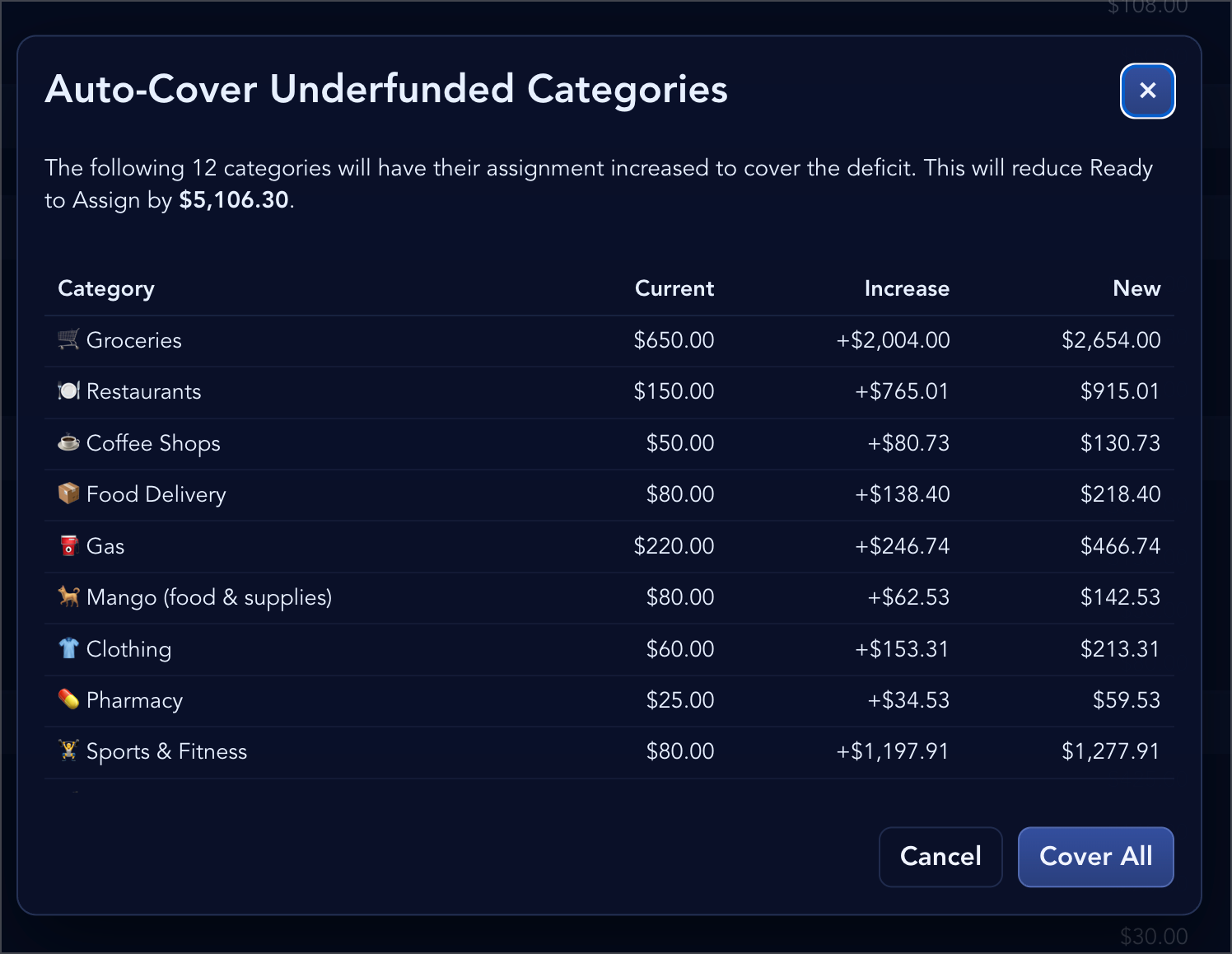
Auto-assign budget to categories
I can hit a button and it will automatically budget my available money to categories that have incurred expenses for the month. Prevents the need for a bunch of clicking.
Tags
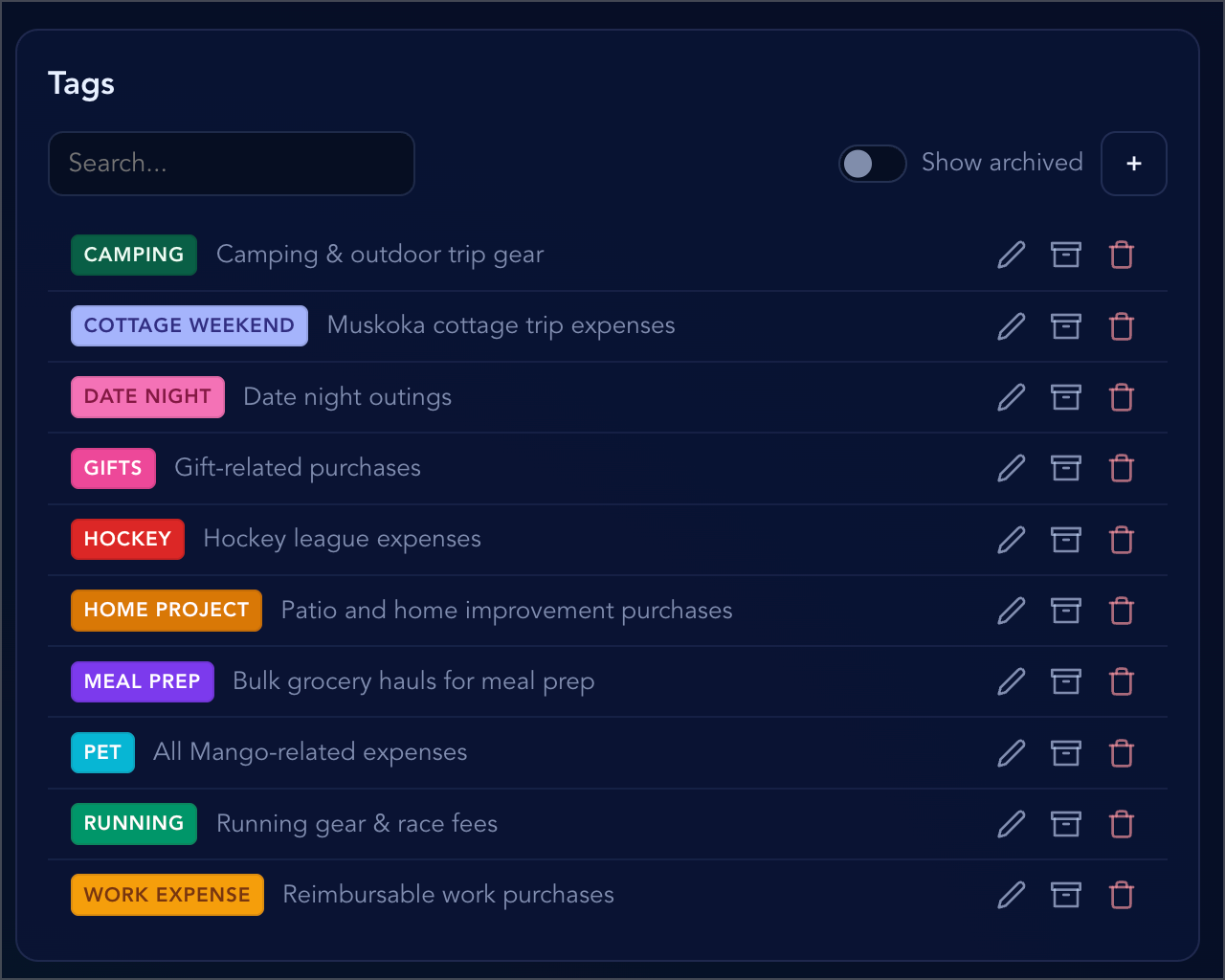
Should be able to tag transactions, since sometimes you want a level deeper than just "categories". For example, if you have a "Sport" category, you might want to tag your transaction as "hockey", or "soccer", or "pickleball" in addition to the "Sport" category.
Sortable categories
I love me a smooth drag & drop experience. This was fun to implement since I used a technique I hadn't tried before: store the sort order as client state that periodically syncs with the backend, and don't re-sync the client state from the server until you reload the page. This prevents a whole host of bugs related to trying to reconcile optimistic client state with incoming server updates.
Drag & drop to reorder budget categories.Payee management
You can easily search and filter for existing payees in the system that might not necessarily still be used and you can delete or merge payees together.
No user accounts
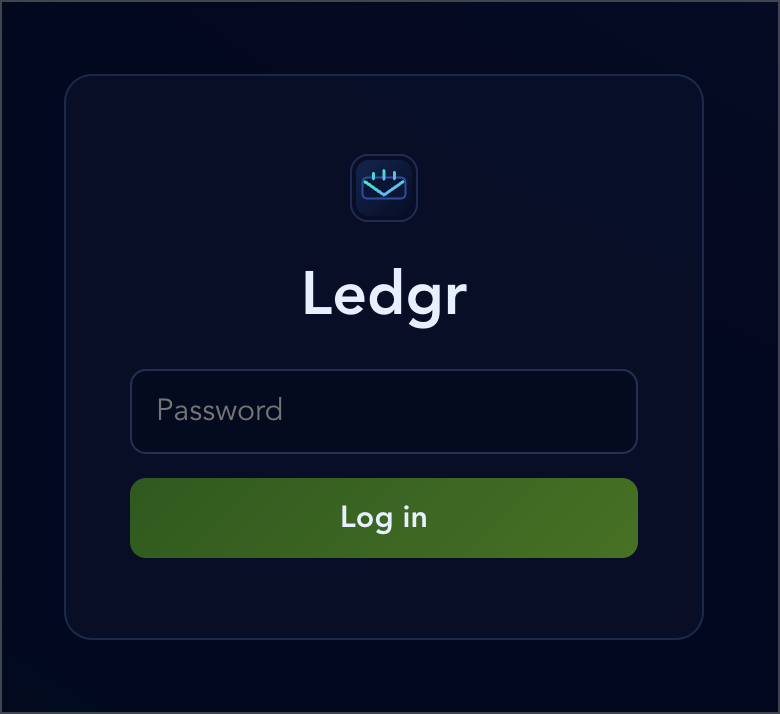
I got thinking that since I don't plan to support having other users in the app, that I would like a simple authentication mechanism that didn't require having users and passwords in the database. I opted for an approach where I set a hashed password as an environment variable and when I log in, I verify the password with the environment variable. Simple and it works. It's funny, because the login screen doesn't need a username field, just a password.
What I’d improve or add next
Reorganize the code
I want to spend time reviewing the app structure and making sure it's well organized, more for the learning experience and practicing good software architecture. This video by Matt Pocock on clean architecture — and how it helps your AI agents produce better code — is also a motivating factor.Recurring expenses
This is something that's in every personal finance app, and I just haven't gotten around to prompting it into existence.
MCP server to add transactions from ChatGPT
I was thinking that I would like to be able to just chat with ChatGPT to add transactions into the app on the fly.
"Just went to costco and the bill was $232.32. Mostly groceries, but $12.32 on new boxers."
The MCP server would expose tools like addTransaction and splitTransaction that ChatGPT could call, enabling that prompt to result in a split transaction for Costco across the groceries and clothing categories.
Wrapping up
All in, this took around 5-6 week nights and a bit of weekend time. Practically speaking, I probably would have been better off just keeping my YNAB subscription. But now every feature and UX detail is exactly what I want, and the process was a great learning experience — comparing Cursor cloud agents to Claude Code, experimenting with MCP tooling, and figuring out when to plan versus when to just fire off an agent.
